Razer Huntsman Mini Review: Dominate on a Different Scale
The Razer Huntsman Mini isn’t just another keyboard; it’s a statement. In a world where bigger often feels like better, Razer has dared to scale down, offering a 60% gaming keyboard designed for those who prioritize desk space, portability, and lightning-fast performance above all else. Having spent considerable time with this pint-sized powerhouse, it’s clear that the Huntsman Mini carves out a distinct niche, appealing to a specific type of gamer and user. If you’re looking to dominate on a different scale, embracing minimalism without sacrificing cutting-edge technology, this keyboard demands your attention. But be warned: its compact form factor, while its greatest strength, also introduces a learning curve that not everyone will be willing to tackle.
The Razer Huntsman Mini’s Compact Form Factor: Mastering the Minimalist Gaming Keyboard Design
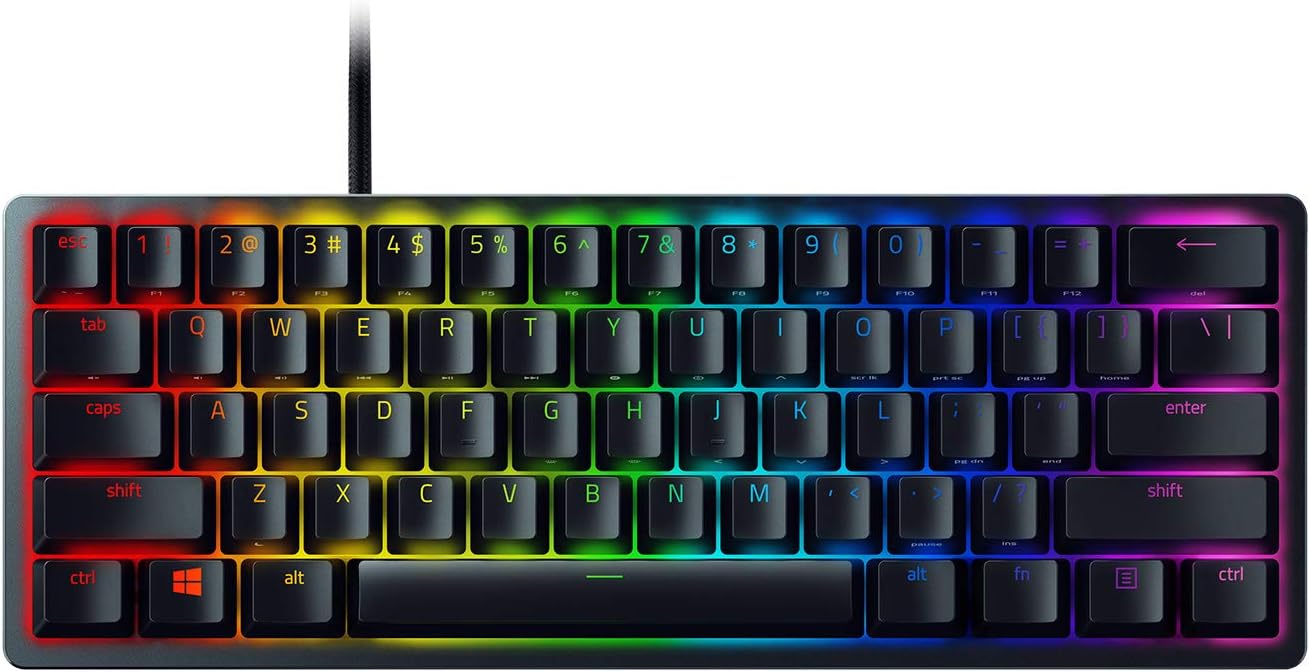
The first thing you notice about the Razer Huntsman Mini is, of course, its size. Shaving off the numpad, F-row, and navigation cluster, this 60% layout is an exercise in ruthless efficiency. For competitive gamers, this means more room for sweeping mouse movements without ever bumping into the keyboard. For those with limited desk real estate, it’s a godsend, transforming cluttered setups into clean, streamlined workstations. The aesthetic is incredibly sleek, a testament to its "less is more" philosophy.
- 60% Layout: Drastically reduces the keyboard’s footprint, freeing up valuable desk space for mouse movement and a minimalist aesthetic.
- Unparalleled Portability: Its diminutive size makes it incredibly easy to pack into any bag, perfect for LAN parties, travel, or switching between setups.
- Streamlined Aesthetic: Contributes significantly to a clean and uncluttered desk environment, appealing to those who appreciate a tidy workspace.
- Integrated Function Layer: Accesses missing keys (like arrow keys, F-keys, and delete) through secondary functions, requiring users to adapt to new key combinations.
However, this aggressive minimalism isn’t without its trade-offs. The learning curve for accessing secondary functions via the Fn key can be steep. Daily tasks that heavily rely on arrow keys, for instance, suddenly require a two-key combination. While Razer does a decent job printing these secondary functions on the front of the keycaps, it’s still a muscle memory adjustment. This keyboard truly shines when the vast majority of your interaction is within the main alphanumeric cluster, making it ideal for pure gaming or specific coding environments, but potentially frustrating for general productivity users who haven’t fully committed to the 60% lifestyle.
Razer Optical Switches: Unlocking Lightning-Fast Actuation in Razer Gaming Keyboards
At the heart of the Huntsman Mini’s performance are Razer’s acclaimed Optical Switches. The model I tested came with the clicky variant, and they deliver precisely what Razer promises: speed and satisfying feedback. Unlike traditional mechanical switches that rely on physical contact, optical switches use a beam of light, meaning key presses register at the speed of light. This isn’t just marketing fluff; in practice, it translates to an incredibly responsive feel.
- Light-Speed Actuation: Employs light-based sensing for near-instantaneous key registration, virtually eliminating debounce delay.
- Reduced Actuation Distance: Features an ultra-short 1.5mm actuation point, which is 30% shorter than many traditional clicky mechanical switches, enhancing responsiveness.
- Tactile & Clicky Feedback: Provides a distinct audible click and a satisfying tactile bump, offering a familiar and enjoyable typing experience for those who prefer auditory feedback.
- Enhanced Durability: With fewer physical moving parts that can wear down, optical switches boast a longer lifespan and greater consistency over time compared to traditional mechanical switches.
The clicky feedback is pronounced and enjoyable, offering a crisp, clean sound that’s reminiscent of Razer Green switches but feels even snappier. This makes typing incredibly satisfying, though it might not be the quietest option for shared spaces. For competitive gamers, the shorter actuation distance (1.5mm) means quicker reactions, translating to a tangible edge in fast-paced titles. The responsiveness is genuinely impressive, and you feel every millisecond count. The only potential downside is that this speed and sensitivity might lead to accidental key presses for heavy-handed typists or those unaccustomed to such a light touch. It’s a double-edged sword: incredibly fast, but potentially unforgiving.
Razer Chroma RGB and Hypershift: Elevating the Razer Gaming Keyboard Experience
No Razer product would be complete without its signature Chroma RGB lighting, and the Huntsman Mini certainly doesn’t disappoint. Despite its small stature, the lighting effects are incredibly vibrant and customizable, making your desk setup pop with personality. Beyond the visual flair, Razer’s Synapse software, combined with Hypershift, unlocks a deep level of personalization that makes the 60% form factor more manageable.
- Vibrant Razer Chroma RGB: Features 16.8 million colors with individual key backlighting, offering an expansive array of dynamic lighting effects and presets.
- Seamless Ecosystem Integration: Fully syncs with popular games, Razer hardware, Philips Hue smart lighting, and an ever-growing list of 30+ third-party partners for a cohesive lighting experience.
- Razer Hypershift: A powerful software feature that allows users to create a secondary layer of commands for virtually every key and keypress combination, effectively doubling the keyboard’s functionality.
- Onboard Memory: Stores up to five custom profiles, allowing you to carry your personalized settings and macros without needing the Synapse software running on every machine.
Razer Synapse remains one of the more robust peripheral customization suites on the market. From intricate lighting patterns to remapping every single key, the options are vast. Crucially for a 60% keyboard, Synapse allows you to customize the Hypershift function layer extensively. This means you can tailor the missing keys’ placement exactly how you like, making the transition to the smaller layout much smoother. It’s a powerful tool that transforms the Huntsman Mini from a simple compact keyboard into a highly adaptable input device. While Synapse can sometimes feel a bit resource-intensive or require frequent updates, the functionality it provides is arguably essential for getting the most out of this particular keyboard.
Razer Gaming Keyboard Construction: Premium Materials and Durable Keycaps
Despite its minimalist approach to size, Razer hasn’t skimped on build quality. The Huntsman Mini feels incredibly solid in hand, exuding a premium feel that belies its compact dimensions. The choice of materials and the attention to detail in its construction are evident, promising durability and a consistent user experience over time.
- Robust Aluminum Top Frame: Encased in a matte, aircraft-grade aluminum top frame, providing exceptional structural integrity and preventing any noticeable flex during intense gaming or typing sessions.
- Doubleshot PBT Keycaps: Equipped with oil-resistant doubleshot PBT keycaps, known for their extreme durability, resistance to shine, and long-lasting legends that won’t fade.
- Textured Keycap Surface: The PBT material provides a pleasant, slightly textured surface that offers a more secure grip and a satisfying feel under the fingertips.
- Standard Bottom Row: Uses a standard bottom row layout, making it easy for enthusiasts to swap out keycaps for custom sets if desired, enhancing personalization options.
The matte aluminum top frame gives the keyboard a reassuring weight and prevents any flex, even under heavy use. This contributes to a stable typing and gaming platform. However, the true unsung heroes here are the doubleshot PBT keycaps. Unlike standard ABS keycaps that can develop an oily sheen over time and wear down, these PBT caps are incredibly durable, resistant to grime buildup, and maintain their textured finish and legibility for years. They feel fantastic under the fingers, offering a slightly rougher, more premium texture than smooth ABS. It’s a detail that significantly enhances the overall typing and gaming experience and speaks to Razer’s commitment to quality beyond just the switches.
The Razer Huntsman Mini is a triumph of focused design. It’s not for everyone, and that’s precisely its strength. If you are a competitive gamer who demands every millisecond of speed, cherishes every inch of desk space, and is willing to adapt to a function layer, this keyboard will feel like a revelation. Its blazing-fast optical switches, robust build quality, durable PBT keycaps, and extensive Chroma RGB customization make it a premium offering in the 60% market. However, if you’re heavily reliant on dedicated arrow keys, a full F-row, or a numpad for your daily workflow, and aren’t prepared to learn new habits, you might find its minimalism more frustrating than liberating. For its target audience, though, the Huntsman Mini delivers an unparalleled compact gaming experience, allowing you to dominate on a different, smaller scale.





msi Codex Z2: Powerhouse for gaming & VR. Zero regrets.

My console stays cool, remotes charged. Love this Charging Stand.

Fitness Tracker: It does a lot, just don't expect perfection.

Smart Ring: decent tracking, good battery, no subscription.

Reliable BP Machine for big arms. Highly recommend!
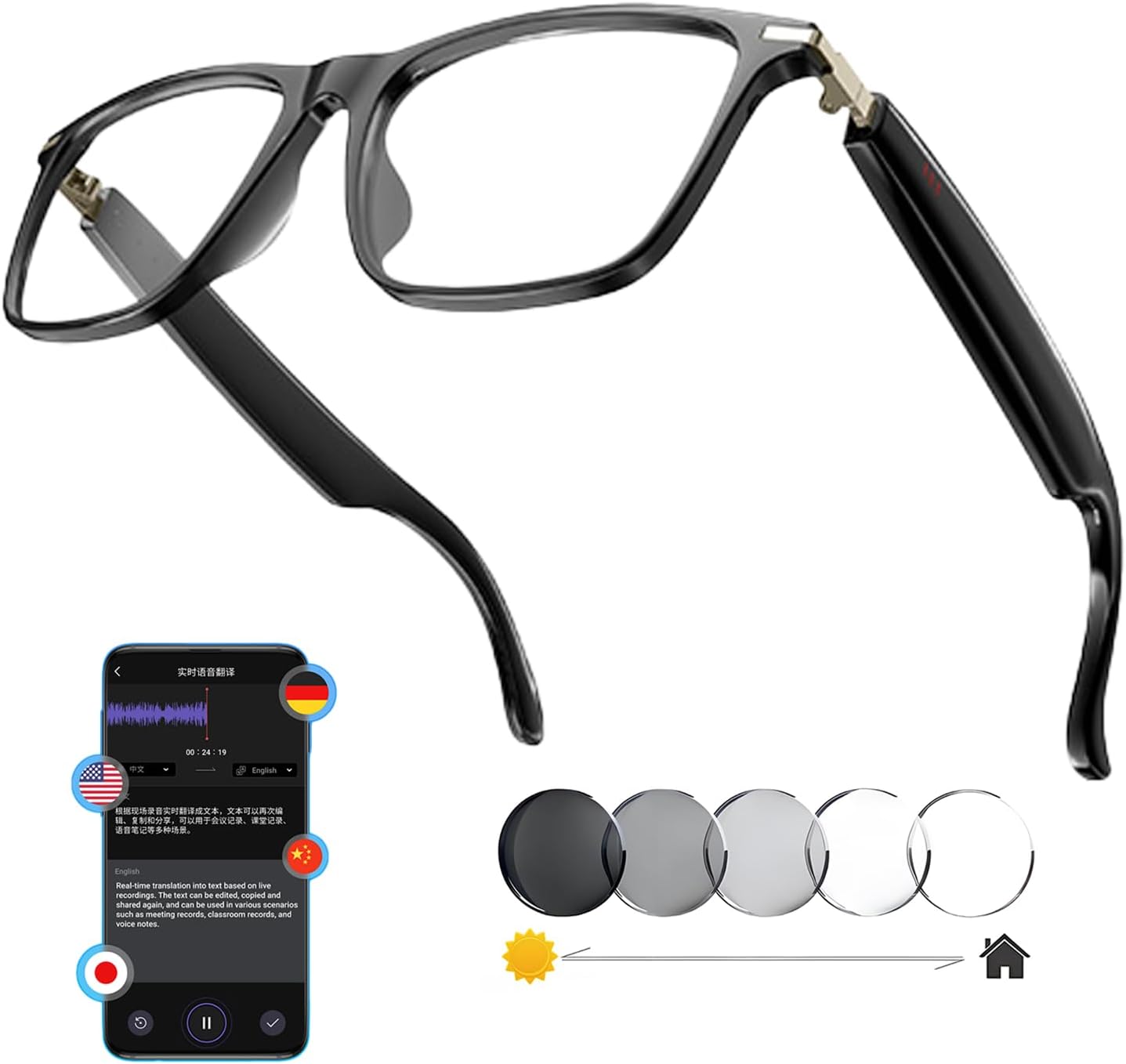
Translator glasses: Ambitious AI, don't expect perfection.

7CR: Amazing photos, but it costs a pretty penny, folks.

MATX Case: Decent for slim, but only one USB 3.0, tiny fan.
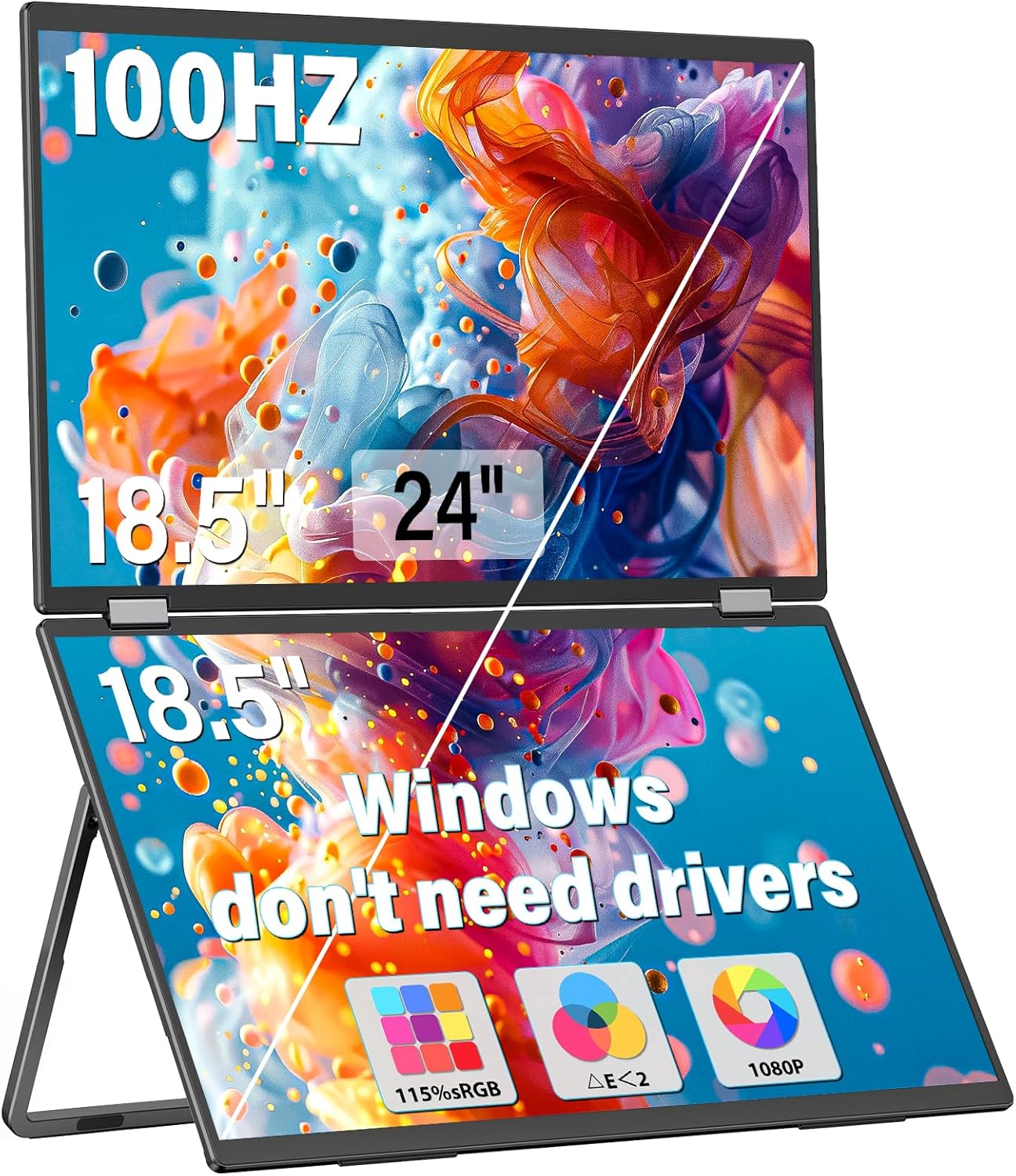
Portable dual monitor: great screen, don't expect much from speakers.